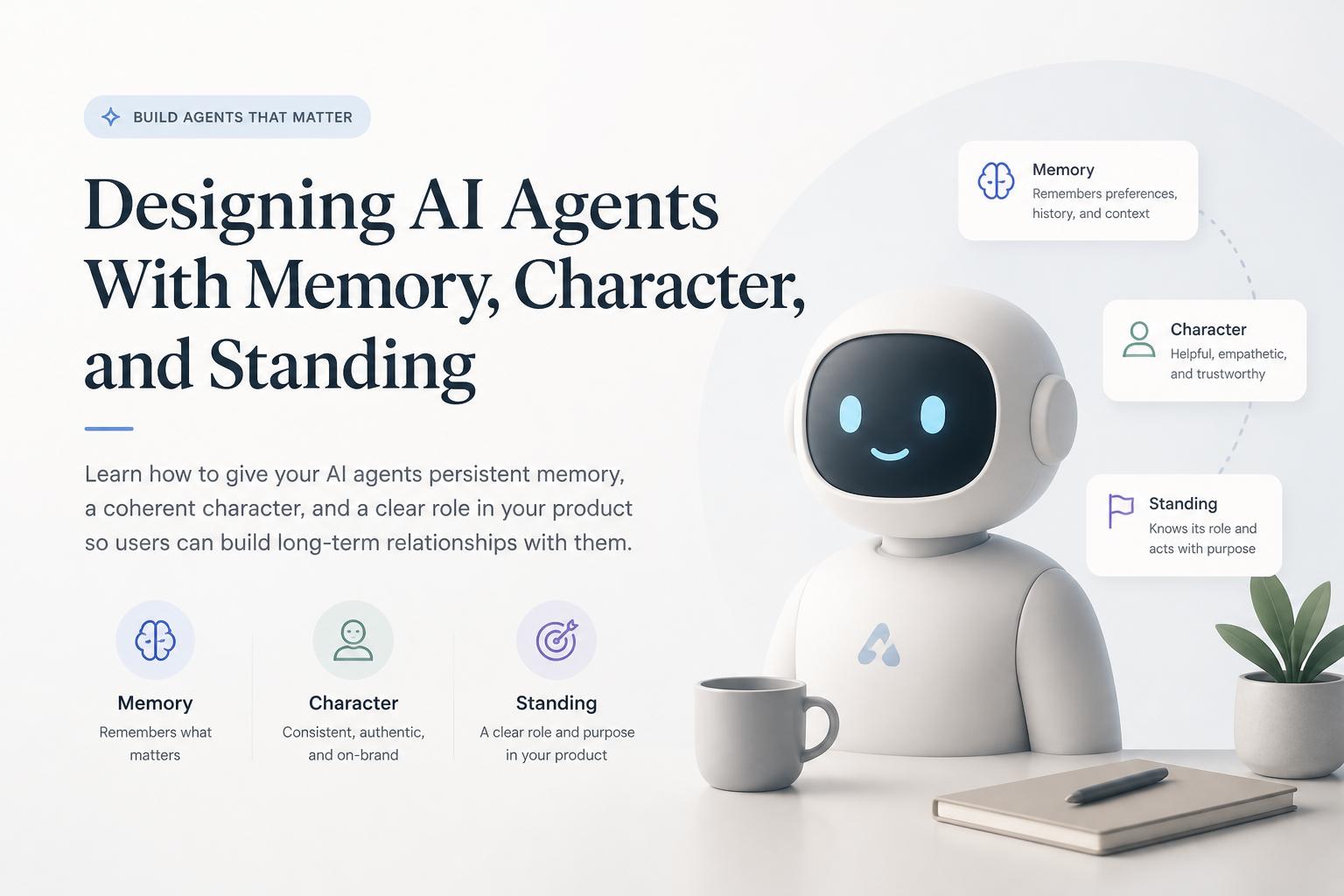
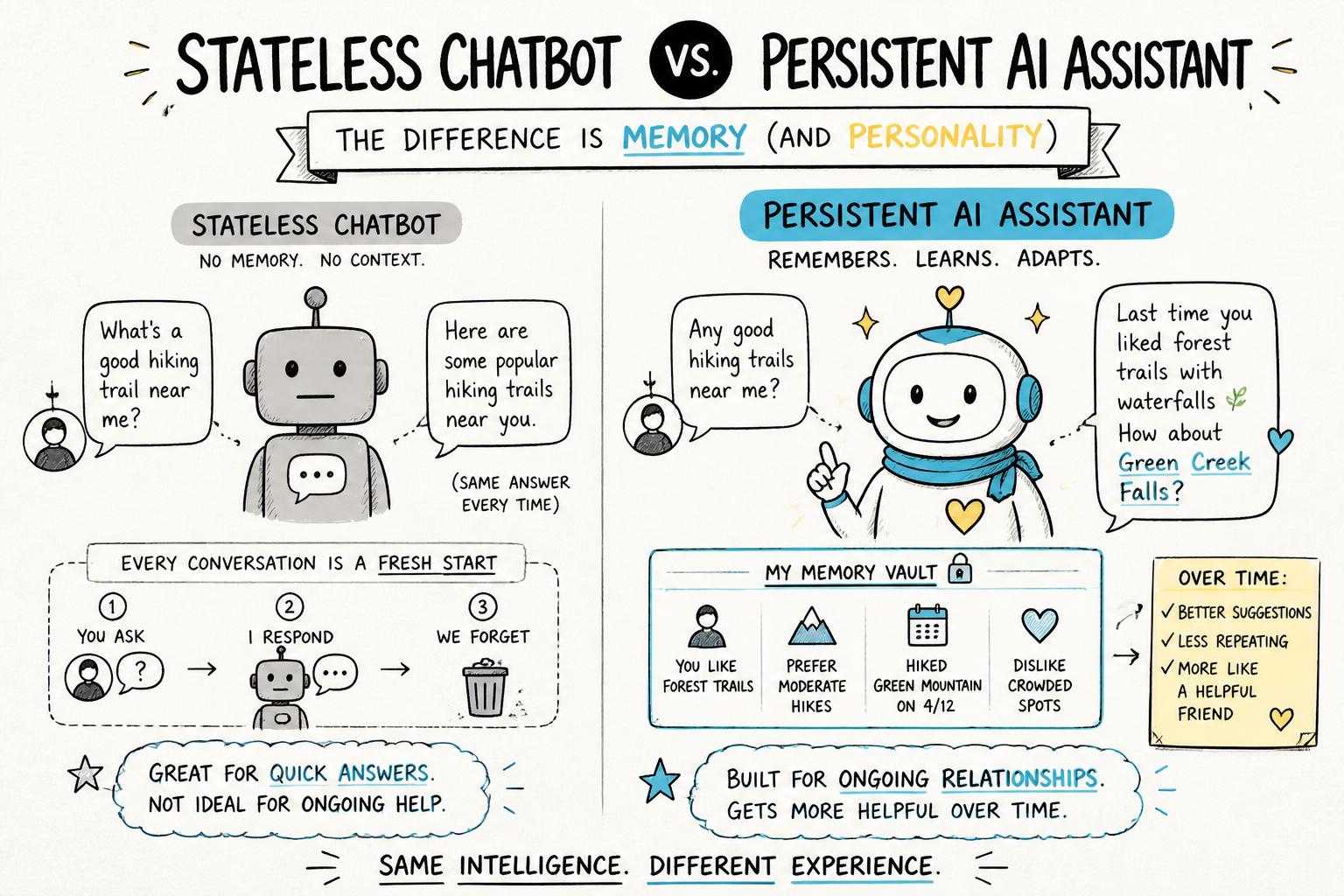
Most AI assistants today feel like amnesiacs: helpful for a single task, then they forget you exist. That’s fine for toy demos, but not for products where trust, nuance, and long-term workflows matter.
If you want users to build real relationships with your AI, you need AI agents with memory, a coherent character, and a clear standing in your product’s world. This tutorial walks through how to design and ship that—without turning your system into an unpredictable black box.
We’ll cover practical patterns you can use today, from simple memory stores to agent governance. For a broader view of what it means to build truly agent-native AI products, read that guide alongside this tutorial.
What we mean by memory, character, and standing
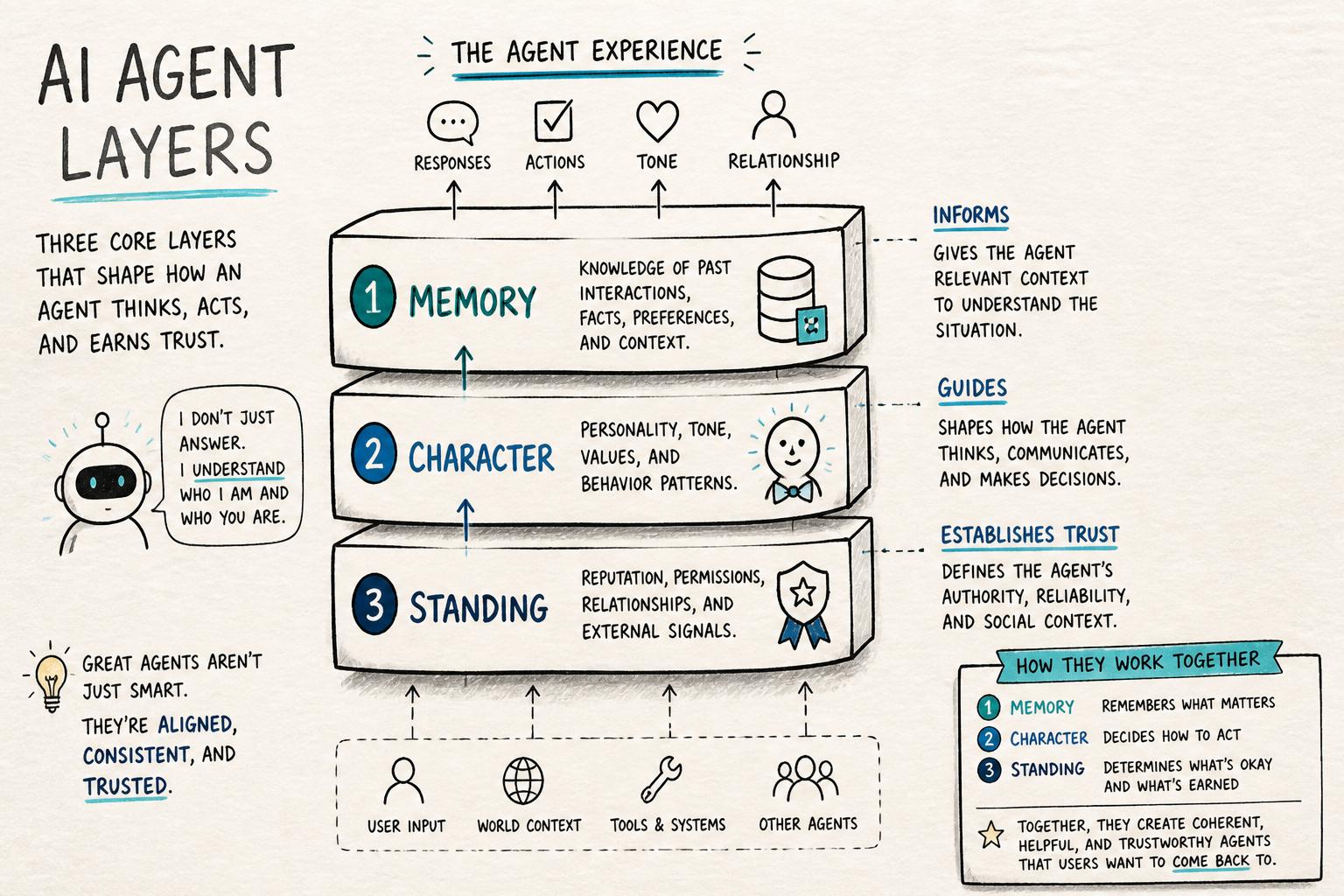
Before we design, we need clear definitions. In this tutorial, we’ll use:
Memory: What the agent can remember across turns and sessions—facts, preferences, past actions, and outcomes.
Character: How the agent behaves and speaks—tone, values, constraints, and decision style.
Standing: The agent’s role, authority, and obligations inside your product—what it is allowed to do, what it must not do, and how it relates to humans and other systems.
Designing AI agents with memory is not just “add a vector database.” Memory without character feels creepy; character without standing feels gimmicky; standing without memory feels bureaucratic. You need all three.
Step 1: Decide what your agent is for
Memory, character, and standing should all serve a clear product purpose—not the other way around.
1.1 Write a one-sentence role statement
Fill in this template:
“This agent helps [who] achieve [goal] by [main actions], and it must never [red lines].”
Examples:
“This agent helps solo founders plan and review their weeks by suggesting priorities and reflecting on progress, and it must never send emails or messages on their behalf.”
“This agent helps customer support teams summarize tickets and suggest replies, and it must never close tickets or issue refunds without human approval.”
This role statement anchors everything that follows. It also feeds directly into your AI agent governance rules.
1.2 Map the user journeys where memory actually matters
Don’t try to remember everything. Instead, ask:
Where does continuity across sessions unlock real value?
Where does forgetting create friction or mistrust?
Where is it dangerous or sensitive for the agent to remember?
Common high-value memory use cases:
Preferences: tone, format, tools the user likes or avoids.
Ongoing projects: named workstreams, deadlines, milestones.
Personal constraints: accessibility needs, time zones, working hours.
Boundaries: topics the user doesn’t want to discuss; data that must not be reused.
Step 2: Design a simple, explicit memory model
AI with memory doesn’t have to be complex. Start with a small, explicit schema that you can reason about and test.
2.1 Choose your memory types
A practical pattern is to define three buckets:
Profile memory (stable): facts that rarely change, like name, time zone, and durable preferences.
Session memory (short-term): context for the current task or conversation.
Project memory (medium-term): artifacts and decisions tied to a specific project or workspace.
Each bucket should have:
A clear schema (keys and types).
Rules for how it gets written and updated.
Retention and deletion policies.
2.2 Define what gets remembered—and what never does
Create a simple table for your team:
Memory item           | Source                 | Lifetime      | Never store if
----------------------|------------------------|--------------|------------------------------
User name             | Account profile        | Until delete | -
Tone preference       | Explicit user setting  | Until change | -
Health data           | Chat messages          | Per session  | Sensitive jurisdiction
Payment details       | Any                    | Never        | PCI scope
Being explicit here is critical for trust and compliance. It also makes it easier to explain to users what your persistent AI assistants do with their data.
2.3 Implement a minimal memory pipeline
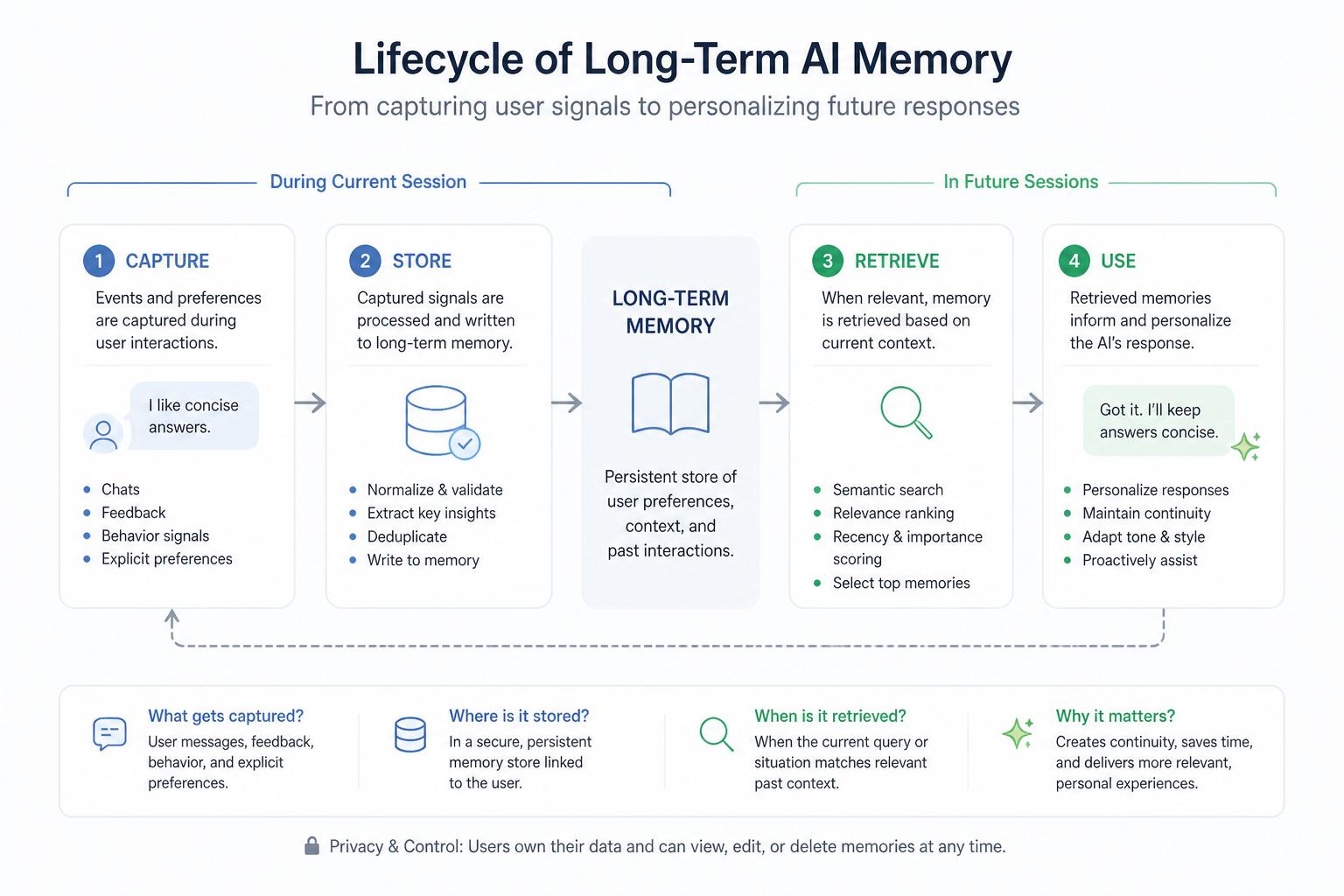
At a high level, your memory system needs to:
Capture: detect potentially memorable events or facts.
Filter: decide what’s worth storing (and what’s forbidden).
Store: save in a structured store (relational DB, document store, or vector DB).
Retrieve: pull relevant memories into prompts when needed.
You can start with rules-based capture and retrieval before adding embeddings. For example:
When the user says “Call me <name>”, update profile.name.
When the user creates or names a project, create a project memory record.
Before each response, fetch all active projects and the last N interactions.
As you scale, you can layer in embedding-based retrieval and more advanced techniques like episodic and semantic memory separation.
Step 3: Craft an agent character that serves the job
Agent personality design is not about being cute. It’s about making behavior predictable and comfortable for your users.
3.1 Define character in operational terms
Instead of vague adjectives (“friendly”, “helpful”), define:
Voice and tone: formal vs informal, concise vs exploratory, optimistic vs cautious.
Decision style: risk tolerance, when to ask for clarification, when to say “I don’t know.”
Values: user autonomy, privacy, transparency, safety.
Boundaries: topics or behaviors that are off-limits.
These map directly into system prompts, tool-calling rules, and UI affordances. They should also align with your broader human-centered AI agent principles.
3.2 Use memory to support character consistency
Memory should reinforce character, not fight it. For example:
A “coach-like” agent can remember past goals and periodically ask how they’re going.
A “librarian-like” agent can remember which sources a user trusts and prioritize them.
A “guardian-like” agent can remember previous safety boundaries the user set.
In your prompts, explicitly connect memory to behavior. For instance:
"You are a calm, precise planning assistant. When you recall past sessions,
only bring up details that are directly relevant to the current task, and
always offer the user a chance to correct or delete remembered information."
3.3 Avoid uncanny intimacy
Long-term user relationships do not require pretending the agent is a human friend. In fact, over-familiarity can feel manipulative. Research on anthropomorphism in conversational agents shows that users often prefer clear, bounded roles.
Good guardrails:
Don’t fabricate emotions (“I’m so proud of you”) unless your product is explicitly about emotional support—and even then, be careful.
Let users opt into more “personal” behavior instead of assuming it.
Make it easy to see, edit, and delete personal memories.
Step 4: Give your agent clear standing in your product
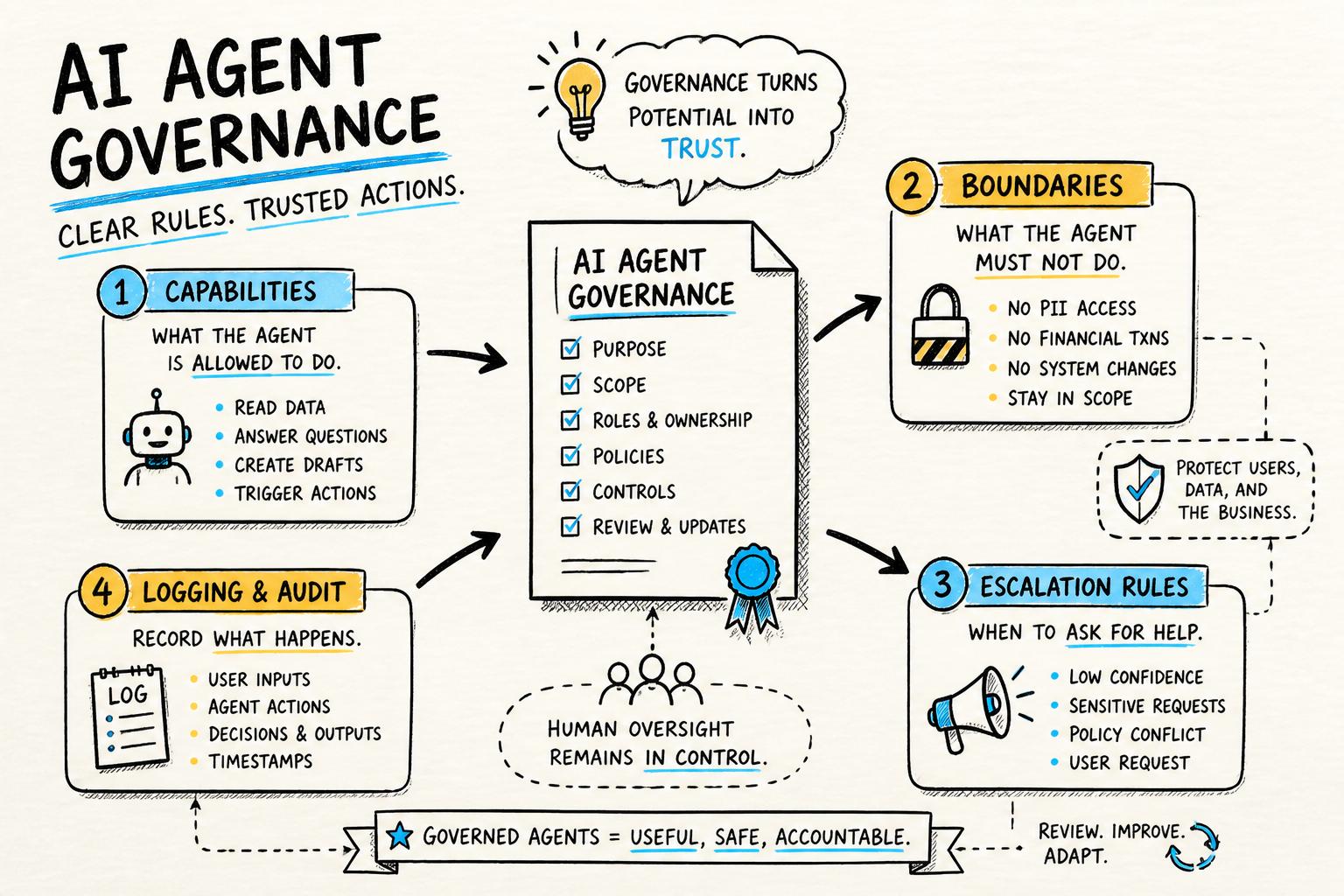
Standing is about power and responsibility. Users need to know: “What can this agent actually do? What can it see? Who is accountable for its actions?”
4.1 Specify capabilities and boundaries
Create an internal “standing spec” that covers:
Scope: which domains and workflows the agent participates in.
Capabilities: actions it can take autonomously (e.g., draft emails, reorder tasks).
Authority limits: actions requiring explicit human approval (e.g., sending, deleting, purchasing).
Visibility: which data stores and tools it can access.
This is essentially a more detailed version of the role statement from Step 1. Our AI agent governance template goes deeper into how to formalize this.
4.2 Reflect standing in the UI
Users should never have to guess what the agent can and cannot do. Make standing visible through:
Affordances: separate “suggest” and “act” buttons; clear labels like “Draft only” or “Requires approval.”
Explanations: short, plain-language descriptions of what the agent will do with a given action.
Logs: a history view showing what the agent did, when, and why (including which memories it used).
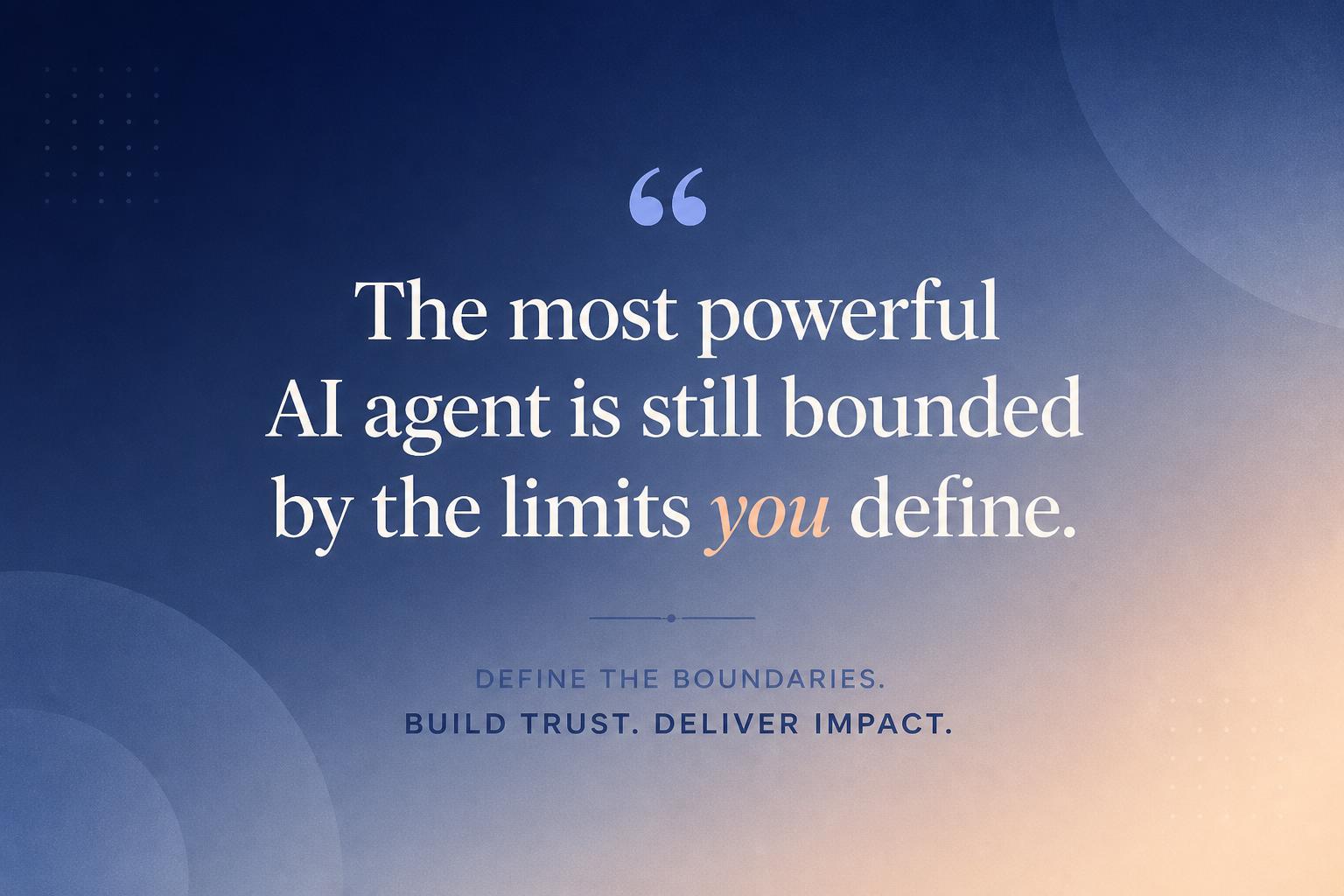
“An AI agent without visible limits feels either weak or dangerous. The sweet spot is: powerful, but clearly bounded.”
4.3 Design escalation and override paths
Long-term user relationships depend on graceful failure. Your standing spec should include:
Escalation rules: when the agent must hand off to a human or ask the user to decide.
Override mechanisms: how users can correct the agent, roll back actions, or disable capabilities.
Feedback loops: how corrections flow back into memory and behavior.
These mechanisms are also central to an agent-native architecture that can scale safely.
Step 5: Make memory visible, editable, and accountable
Persistent AI assistants should not feel like they’re hoarding secrets. Users should be able to see and shape what’s remembered.
5.1 Build a “memory center” for users
Provide a dedicated view where users can:
Browse key memories grouped by type (profile, projects, recent sessions).
Edit or delete specific items.
Turn certain memory categories on or off.
Think of this as the “settings + history” page for your agent. It’s a concrete way to demonstrate your commitment to human-centered, transparent AI.
5.2 Show “why this response” using memory traces
When the agent uses past information, surface that explicitly. For example:
A small inline note: “I’m suggesting a 9am meeting because your working hours are set to 8am–4pm.”
A hover or disclosure: “This recommendation uses: Project ‘Q3 launch’ milestones; your preferred tools: Figma, Notion.”
Under the hood, this means keeping a lightweight “reasoning log” of which memories were retrieved and used. This also helps debugging and governance.
5.3 Give users control over retention
At minimum, support:
Depending on your domain, you may also need features like export, data residency controls, and retention schedules to align with regulations like GDPR.
Step 6: Ship a minimal, testable version first
For most teams, the risk is not shipping something too simple—it’s shipping something too magical and opaque.
6.1 A realistic V1 for AI agents with memory
For an early-stage product, a strong V1 could be:
Profile memory: name, time zone, 3–5 explicit preferences set via UI.
Project memory: list of active projects with titles and deadlines.
Session memory: last 20 messages, truncated and summarized when long.
Character: a clearly defined tone and decision style encoded in system prompts.
Standing: read-only access to core data; all actions are suggestions, not effects.
Everything else—richer memory graphs, tool automation, advanced retrieval—can come later once you’ve validated that users actually want a persistent relationship with the agent.
6.2 Instrument for learning, not just usage
To improve over time, track:
How often users correct the agent’s use of memory.
Which memory types drive the most accepted suggestions or completed tasks.
Opt-in rates for long-term memory features.
Qualitative feedback about creepiness vs usefulness.
Combine quantitative metrics with direct interviews. Ask users how they perceive the agent—as a tool, a teammate, a coach—and whether that matches your design intent. This is especially important if you’re following an agent-centric product roadmap.
Step 7: Think in terms of symbiosis, not replacement
The most durable AI products don’t try to replace humans; they create new kinds of human–agent collaboration. When you design AI agents with memory, character, and standing, you’re effectively adding a new participant to your product’s ecosystem.
At Point Eight AI, we think of this as building for symbiosis. The agent remembers what humans shouldn’t have to; it shows up with a consistent, trustworthy character; and it takes on a clear role with visible limits. Humans stay in charge of goals, judgment, and meaning.
If you’re designing your own agent-native product, pair this tutorial with our deeper dives on agent-native AI, the architecture checklist, and our governance template. Together, they give you a practical path to building AI agents that users can live with—not just try once.
And if you’re exploring how to bring persistent AI assistants into consumer workflows or creative tools, study our perspective on human-centered AI agents. The design decisions you make now will shape how your users relate to AI for years to come.